🤝 Contribute to this Wiki
Introduction
The Fydetab Duo Wiki is a multilingual wiki built with Docusaurus, aiming to provide comprehensive documentation support for the Fydetab Duo tablet. This guide will walk you through different ways to contribute to this wiki.
File Structure and Contribution Suggestions
Below is a list of all directories and main files related to the wiki content. If you find an error in the wiki documentation, you can locate the corresponding source file here, make modifications, and submit the updated file.
fydetabduo-wiki/
├── docs/                    # Documentation directory, controls the English part of this wiki
│   ├── 1.intro.md
│   ├── 2.Operating system options.md
│   ├── 3.Flashing the Fydetab Duo.md
│   ├── 5.Key hardware components.md
│   ├── 6.Unbrick your Fydetab Duo.md
│   ├── 7.Contribute to wiki.md
│   ├── Available-OS/
│   ├── Hacking-the-Fydetab-Duo/
│   └── Recipes/
├── i18n                      # Multilingual directory
│   └── zh-Hans               # Simplified Chinese translation files
│       ├── code.json
│       ├── docusaurus-plugin-content-docs
│       │   ├── current
│       │   │   ├── 1.intro.md
│       │   │   ├── 2.Operating system options.md
│       │   │   ├── 3.Flashing the Fydetab Duo.md
│       │   │   ├── 5.Key hardware components.md
│       │   │   ├── 6.Unbrick your Fydetab Duo.md
│       │   │   ├── 7.Contribute to wiki.md
│       │   │   ├── Available-OS/
│       │   │   ├── Hacking-the-Fydetab-Duo/
│       │   │   └── Recipes/
│       └── docusaurus-theme-classic/
└── static/                   # Static resources directory
    ├── img/                  # Image resources directory
    ├── robots.txt
    └── CNAME
If you find minor text-level errors in the wiki documentation, such as spelling mistakes or translation errors, you can choose to make direct edits via GitHub and submit them for contribution.
If you want to restructure a document, add new documentation, or supplement full translation content, we recommend using GitHub Codespace for contribution: first create a workspace and modify the source code, then compile the wiki, confirm that the modifications meet your expectations, and finally submit the changes for contribution.
Prepare a GitHub Account
Regardless of the method you choose, you will need a GitHub account. For instructions on registering a GitHub account, please refer to GitHub's official documentation.
Fork the Source Code to Your Account
On the project's GitHub page, click the Fork button on the right side to fork a copy of the Fydetab Duo Wiki source code to your account.
Making Changes
Direct Editing via GitHub
In your forked repository, locate the file you wish to modify, click the edit file button in the upper right corner, and edit the source code online. After editing, the changes will be stored directly in your fork.
If you are unsure which file to modify, you can find an Edit this page link at the bottom of each page on the Fydetab Duo Wiki. Clicking this link will take you to the corresponding source file page.
Edit and Preview with GitHub Codespace
GitHub Codespaces is a cloud‑based instant development environment that lets you get a fully containerized workstation pre‑configured with all dependencies in seconds via your browser. This project already includes a devcontainer configuration file, so you can easily use GitHub Codespace to create a fast environment for editing and previewing the compiled wiki.
Launch Codespace and Modify Code
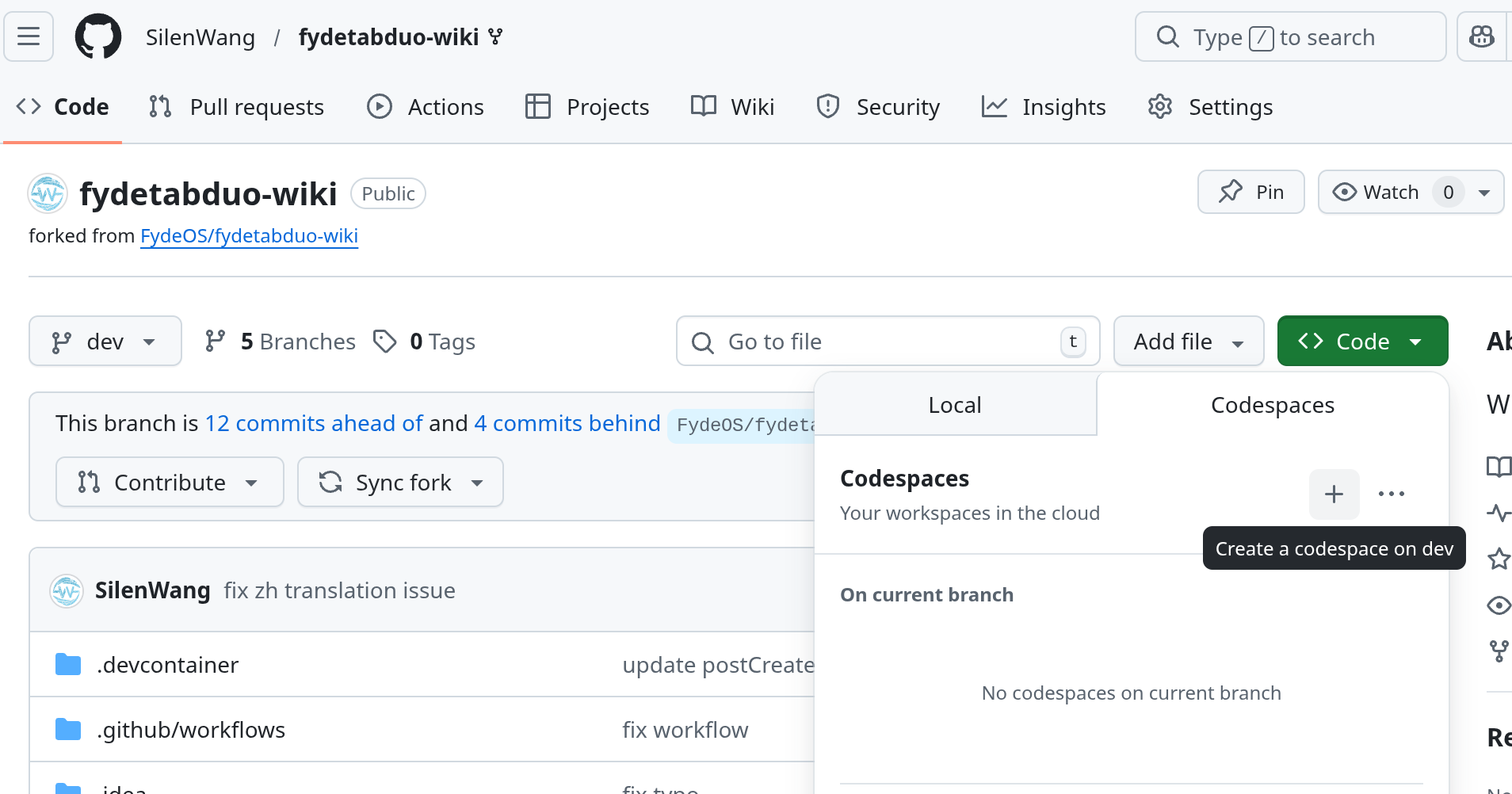
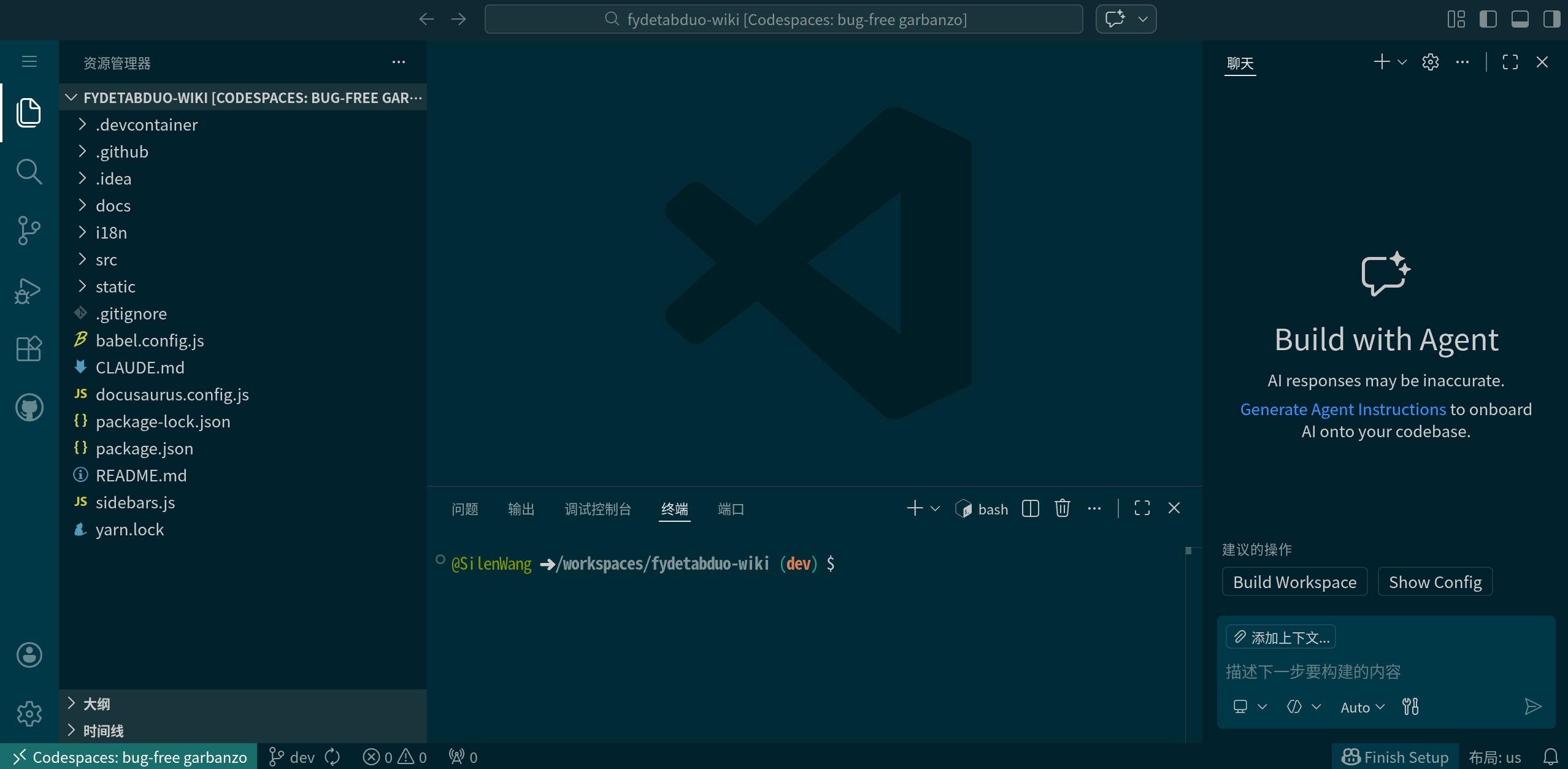
Go to your forked repository page, click the Code button and select the Codespaces tab, then click the + button. This will create a Codespace based on your forked code. After a short wait, your browser will enter the VS Code Web interface, which is your workspace. Here you can modify the source code of this wiki.
For an introduction to the VS Code interface and basic usage, please refer to its official documentation.
Compile and Preview
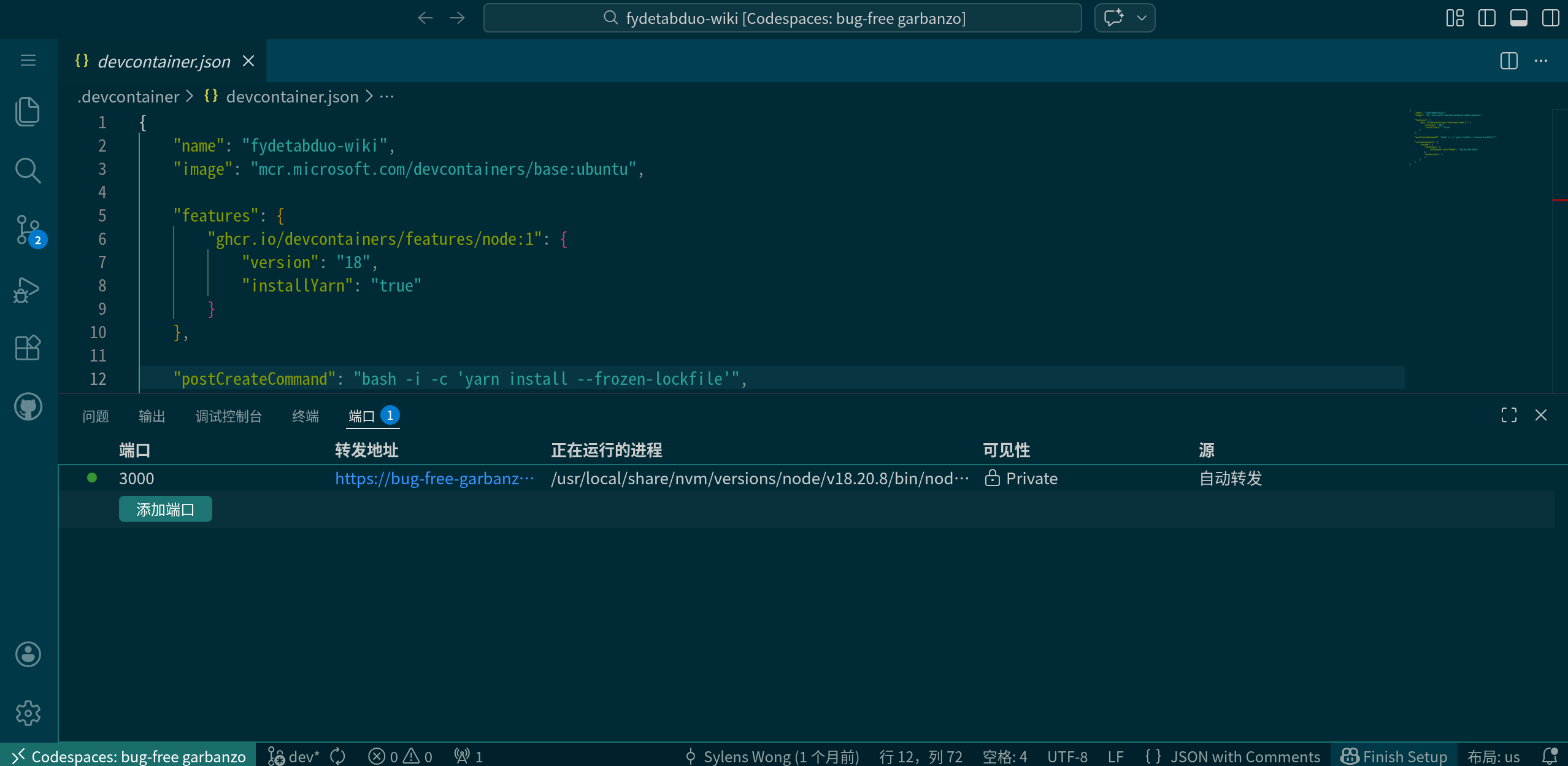
After making your changes, you can open a terminal (Ctrl + ` or Ctrl + Shift + C), run yarn build, and once that completes, run yarn serve. The terminal will display a temporary URL through which you can preview the modified wiki site.
Save Your Changes
Once you are satisfied with the modifications, you can use the built‑in Git management features of VS Code Web to stage, commit, and push your code, thereby storing and pushing your changes to your forked repository on GitHub. For more information, see VS Code's official documentation.
Submit a Pull Request
After your changes are saved to your forked repository, you can submit a pull request to request merging your modifications into the original Fydetab Duo repository. Once the pull request is accepted by the Fydetab Duo Wiki maintainers, your changes will be visible on the Fydetab Duo Wiki.
For detailed instructions on creating a pull request, please refer to GitHub's official documentation.
Notes
- Translation files (i18n) must have exactly the same name as the original files to work properly.
- Static files: If you need to add screenshots or other static files to the documentation, place them under the
staticfolder and access them using paths like/img/your_img.png. - Document numbering: Please assign appropriate numbers to document files so that they appear in the intended order.
For more information, you can refer to the Docusaurus official documentation.